How To Turn Off Suggested Posts on Instagram (Step-by-Step Guide)

Are you wondering how to turn off suggested posts on Instagram? Fortunately, toggling this feature on or off only takes a few moments. Suggested posts are designed to improve content discovery, but when the recommendations don’t align with your interests, disabling them can help you regain control of your feed.
In this guide, you’ll learn how to stop suggested posts on Instagram, understand what are suggested posts on Instagram, and explore how Instagram’s algorithm determines what appears in your feed. You’ll also discover actionable strategies to help your own content appear in users’ suggested feeds – an essential factor for sustainable Instagram growth.
What Are Suggested Posts on Instagram?
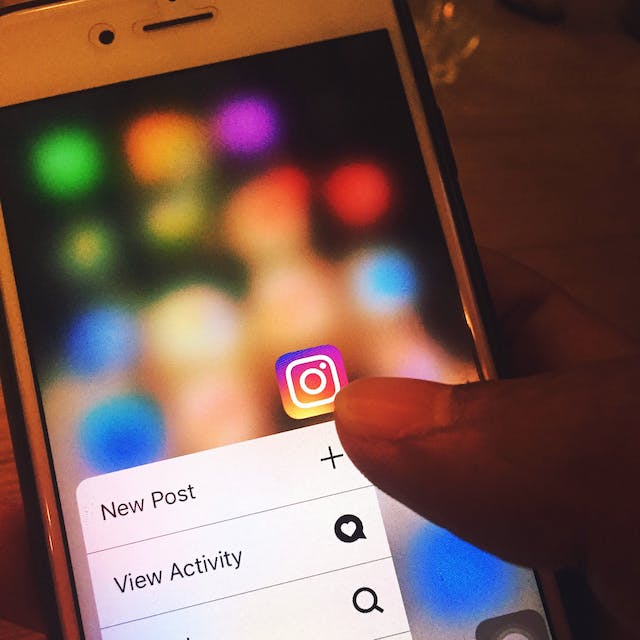
If you’ve ever asked what are suggested posts on Instagram, they are algorithm-driven content recommendations shown between posts in your feed. These suggestions come from accounts you don’t follow but may find interesting based on your activity.
Suggested posts make it easier to discover new creators, brands, and trends without manually searching. However, the quality of these recommendations depends heavily on how accurately Instagram interprets your preferences, interests, and behavior over time.
If your feed feels cluttered or irrelevant, learning how to manage or turn off suggested posts on Instagram can significantly improve your browsing experience.

Can You Turn Off Suggested Posts on Instagram?
Yes – you can turn off suggested posts on Instagram, especially when the recommendations don’t reflect your interests. Here’s the step-by-step process:
- Tap your profile picture in the bottom-right corner
- Tap the three horizontal lines in the top-right corner
- Select Settings and privacy
- Choose Suggested content
- Manage or turn off suggested posts for your account
You can always re-enable the feature later, making it easy to test how your feed changes when suggested posts are disabled..

How Instagram’s Algorithm Determines Suggested Posts
Understanding how Instagram’s algorithm determines suggested posts can help you both personalize your feed and increase your visibility as a creator.
Activity Signals
Instagram closely monitors how users interact with content:
- Likes: Signal interest and boost similar content
- Shares: Indicate high value and relevance
- Saves: Show long-term interest in a post
- Comments: Strong engagement signal that increases visibility
If you want to improve reach, increasing engagement is critical. Using strategies from guides like how to boost Instagram reach naturally can significantly improve how your posts perform.
Post Information
Instagram evaluates post-level data such as:
- Engagement rate
- Keywords in captions
- Hashtags
- Content type (Reels, carousels, static posts)
Using formats like Reels or carousels can improve discoverability. For inspiration, explore Instagram Reels trends and learn how to do a carousel post on Instagram.
Instagram Account Information
Instagram also assesses:
- Your niche consistency
- Past interactions with similar accounts
- Your engagement history with specific creators
If users frequently interact with your posts, Instagram is more likely to recommend your content in their suggested feed.

How To Get Your Posts in Users’ Feeds
To appear in suggested posts, you need a combination of strategic optimization and consistent engagement.
Hashtags
Hashtags help Instagram understand your content. Use niche-relevant hashtags to increase visibility while avoiding spam. This approach ensures your posts reach the right audience instead of random users.
Increase Engagement
Posts with higher engagement perform better in suggested feeds. Effective tactics include:
- Encouraging comments with thoughtful prompts
- Responding to comments quickly
- Creating value-driven or opinion-based posts
- Leveraging templates such as Instagram Reels templates
You can also learn more about building meaningful interaction through how to engage your Instagram audience for growth.
Keyword Research
Instagram increasingly relies on keyword signals. Research what users search for in your niche and integrate those terms naturally into captions and bios.
Data Analytics
Instagram Insights helps you track:
- Top-performing posts
- Audience activity
- Reach and engagement trends
Doubling down on high-performing content improves your chances of appearing in suggested posts. For long-term results, follow a structured approach like this long-term Instagram growth guide.
Competitor Research
Studying competitors can reveal patterns behind viral success:
- Analyze their top-performing posts
- Identify recurring hashtags
- Monitor posting frequency and content format
This strategy helps refine your own content while staying aligned with platform trends.

Now You Know How To Turn Off Suggested Posts on Instagram – Personalize With Hexrate
Now that you know how to turn off suggested posts on Instagram, you can take full control of your feed and content experience. If the changes don’t improve your feed, you can always turn suggested posts back on using the same settings.
If your goal goes beyond personalization and into real Instagram growth, Hexrate is built to help. Hexrate uses data-driven targeting, AI insights, and organic growth strategies to help creators and brands reach the right audience – not bots or empty engagement.
Choose Hexrate if you want:
- Authentic follower growth
- Higher engagement rates
- Long-term visibility in Instagram’s algorithm
Start growing smarter with Hexrate and turn Instagram’s algorithm into your advantage!
Smart marketers love Hexrate!
Start growth today.
Stop stressing about your Instagram account - our winning growth tactics are time-tested to help you achieve real results – fast & guaranteed!
Get started
An Instagram engagement rate calculator is simply a tool that cuts through the noise. It measures how many people are actually interacting with your content-…

Instagram used to feel simple and predictable, almost like a casual digital scrapbook where you could post moments, follow your friends, and exchange messages without…

TL;DR — Quick Steps Open Instagram → go to your Profile → tap the menu (☰) → Settings and privacy → Account privacy…

If you’re serious about content creation, learning how to download Instagram videos is a skill you’ll eventually need. Maybe you want to: Repurpose content for…

You’re scrolling. You’re discovering new accounts. You’re networking, researching competitors, or maybe trying to grow your brand strategically. And then suddenly… Instagram stops you. That’s…