How To Use Instagram Filters (Step-by-Step Guide)

Perfection may not exist in real life – but on Instagram, it’s only a filter away. As smartphone cameras become more detailed and unforgiving, Instagram filters have evolved to help creators enhance visuals effortlessly. If you’re still unsure how to use Instagram filters, you’re not alone and you’re in the right place.
Filters are available across posts, Stories, Reels, and even Instagram Live. When used consistently, they elevate your visual identity, improve engagement, and strengthen brand recognition. Combined with smart formatting and growth strategies, filters can turn casual viewers into loyal followers.

How To Add Effects in Instagram Reels
Instagram Reels are one of the most powerful discovery tools on the platform, and learning how to add effects in Instagram Reels can dramatically increase reach.
Follow these steps:
- Update Instagram to the latest version
- Open the app and tap the “+” icon
- Swipe to Reels
- Tap the Effects icon
- Browse and select a filter
- Record or upload your video
- Edit further, then tap Next to publish
You can test filters without publishing by saving the Reel as a draft. Pairing filters with proven formats like Instagram Reels templates and staying current with Instagram Reels trends gives your content a competitive edge.n Instagram.
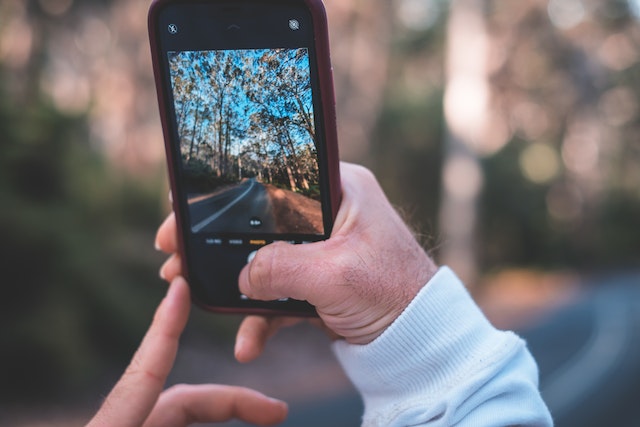
How To Use Instagram Story Filters for Consistent Engagement
Stories are ideal for daily engagement, behind-the-scenes content, and promotion. Learning how to use the filters on Instagram Stories helps maintain visual quality – even for casual uploads.
Steps to apply Story filters:
- Tap your profile icon or the “+” button
- Open the Instagram camera
- Swipe left to browse saved filters
- Tap the magnifying glass to browse effects
- Preview and save your favorites
High-quality Stories keep your account active in followers’ feeds and support strategies like how to boost Instagram reach naturally.
How To Use Instagram Filters on Live Videos
Going live can feel intimidating – but Instagram lets you apply filters in real time.
Here’s how:
- Open the camera and select Live
- Start broadcasting
- Tap the smiley-face icon
- Swipe through available filters while streaming
Use filters sparingly during Live sessions to maintain authenticity while still enhancing appearance.
Creators With the Best Instagram Filters
Many creators design and publish their own filters, allowing fans to recreate their aesthetic. If you admire someone’s feed, you may be able to use their filter directly.
To download a creator’s filter:
- Visit their profile
- Tap the smiley-face icon above their grid
- Select a filter and tap Try It or download
This is an easy way to align your visuals with high-performing creators while refining your own style.
How To Find and Search for Filters on Instagram
If you’re wondering how to find filters on Instagram or how to search for filters on Instagram, the Effect Gallery is your best friend.
Steps:
- Open the Instagram camera
- Swipe left through effects
- Tap the magnifying glass
- Browse categories or search by keyword
- Preview and save filters
Testing multiple filters before committing helps maintain consistency across your content.

How To Use Instagram Photo Filters With Third-Party Apps
Sometimes Instagram’s native filters aren’t enough. If you want advanced edits, third-party apps can help.
Popular options include:
- VSCO – professional color grading
- Snapseed – advanced control and free tools
- Facetune – facial retouching (use moderately)
External tools pair well with strategies outlined in Instagram photo editor apps and should always enhance not replace – authenticity.
How Instagram Filters Help You Attract Real Followers
Filters aren’t just about aesthetics – they influence first impressions. When users visit your profile, they evaluate your content as a whole. Consistent filters signal professionalism and credibility.
When paired with ethical growth strategies like why prioritizing real followers matters and examples from organic follower growth on Instagram, filters become a growth tool – not just decoration.

Master Instagram Filters and Grow Smarter
Learning how to use Instagram photo filters, search for effects, and apply them across Reels, Stories, and Live content helps your profile stand out in a crowded feed. But filters alone won’t grow your account.
Grow Faster With Hexrate
Once your visuals are dialed in, Hexrate helps you attract the right audience. Using AI-powered targeting and ethical growth strategies, Hexrate connects your content with users who genuinely care – no fake followers, no shortcuts.
With Hexrate, you can:
- Improve engagement
- Reach authentic followers
- Support long-term Instagram growth
- Create stunning content
- Reach real people
- Grow with confidence
Start growing with Hexrate today and turn great visuals into real results!
Smart marketers love Hexrate!
Start growth today.
Stop stressing about your Instagram account - our winning growth tactics are time-tested to help you achieve real results – fast & guaranteed!
Get started
An Instagram engagement rate calculator is simply a tool that cuts through the noise. It measures how many people are actually interacting with your content-…

Instagram used to feel simple and predictable, almost like a casual digital scrapbook where you could post moments, follow your friends, and exchange messages without…

TL;DR — Quick Steps Open Instagram → go to your Profile → tap the menu (☰) → Settings and privacy → Account privacy…

If you’re serious about content creation, learning how to download Instagram videos is a skill you’ll eventually need. Maybe you want to: Repurpose content for…

You’re scrolling. You’re discovering new accounts. You’re networking, researching competitors, or maybe trying to grow your brand strategically. And then suddenly… Instagram stops you. That’s…