How to Search Comments on Instagram: A Quick Guide

Ever tried to find a specific comment on one of your Instagram posts and found yourself scrolling… and scrolling… and scrolling? You’re definitely not alone. It’s a huge source of frustration for creators and brands because Instagram simply doesn’t have a built-in search bar for comments.
Why You Can’t Natively Search Instagram Comments

If you’ve ever tried digging through the comments on a popular post, you know the struggle is real. The simple truth is that this isn’t some technical oversight- it’s a deliberate design choice by Instagram. The platform is built to prioritize immediate, in-the-moment engagement over creating a searchable, permanent archive of every conversation.
This decision creates some major headaches for anyone managing an account. For brands, it means critical customer questions can get buried in a sea of replies, leading to lost sales or a reputation for poor service. For creators trying to pick a winner for a giveaway, it turns what should be a simple task into a manual, time-consuming nightmare. The bigger your account gets, the more this problem compounds.
The Impact on Community Management
Trying to manage an active community without the right tools feels like organizing a library with no card catalog. Important feedback vanishes, and genuine conversations get lost just moments after they happen. This forces social media managers to rely on tedious methods, like manually scrolling through hundreds- or even thousands- of individual comments.
The sheer volume of interaction on Instagram makes this even harder. While the average engagement rate per post hovers around 0.45%, that still translates to billions of comments posted every single day. For any active account, trying to keep up manually is just not sustainable. While a good Instagram tag search strategy is key for getting seen, managing the resulting flood of comments is a whole other battle.
The inability to search comments isn’t just an inconvenience; it’s a barrier to effective community management and customer service, forcing brands and creators to find external solutions to a native platform problem.
This fundamental limitation is exactly why we need to look beyond the app itself. The workarounds and tools we’re about to cover aren’t just “nice-to-haves”- they’re essential for anyone serious about managing their engagement effectively.
Making the Most of Instagram’s Own Tools to Find Comments
Let’s start with the basics. While Instagram doesn’t hand you a dedicated search bar for comments, you’re not completely out of luck. Before you dive into third-party tools or complex APIs, it’s smart to master what the platform already gives you. These native methods are free, always available, and honestly, can be pretty effective for day-to-day comment wrangling.
The Manual “Load and Find” Trick
The most straightforward method is one most people forget. For posts that don’t have an avalanche of comments, you can just manually force them all to load. Simply keep tapping “View all comments” or “Load more comments” until you hit the very first one.
Once everything is visible on your screen, you can use your device’s built-in search. This is a game-changer on a desktop browser. Just open the post in a new tab, load up all the comments, and hit Ctrl+F (on Windows) or Cmd+F (on Mac). A little search bar will pop up, and you can instantly hunt for a specific username or keyword.
Get Proactive with Hidden Words
For a more hands-off approach, you need to get familiar with Instagram’s “Hidden Words” feature. Think of it as your personal bouncer for the comments section. It’s designed to automatically hide comments containing specific words, phrases, or emojis you’d rather not see. It’s an absolute lifesaver for filtering out spam, trolls, or those annoying “collab?” DMs without you lifting a finger.
Here’s how to set it up:
- Head to your profile and tap the three-line menu icon.
- Go to Settings and privacy, then scroll down to find Hidden Words.
- Tap Manage custom words and phrases under the “Custom words for messages and comments” section.
- From there, you can build your own list of words. Any comment that includes one will be automatically tucked away in a hidden folder.
While this won’t help you find a specific positive comment, it’s crucial for keeping your comment sections clean. A tidy space makes the truly valuable interactions much easier to spot. Managing this part of your account is a core piece of any solid growth strategy, and you can dive deeper by understanding your Instagram Insights and what they mean for your success.
Instagram Comment Search Methods At A Glance
To give you a clearer picture, here’s a quick breakdown of the different ways you can tackle comment searching, from the simple in-app tricks to more powerful, specialized solutions.
| Method | Best For | Ease of Use | Cost |
|---|---|---|---|
| Native App (Load & Find) | Posts with low to moderate engagement, quick spot-checks. | Easy | Free |
| Desktop Browser (Ctrl+F) | Finding specific words/users on a single post quickly. | Very Easy | Free |
| Creator Studio / Meta Business | Business/Creator accounts needing basic comment filtering. | Moderate | Free |
| Instagram Graph API | Developers & businesses needing custom search solutions. | Difficult | Varies |
| Third-Party Tools | Brands/agencies needing advanced search & moderation. | Moderate | Paid Subscription |
This table shows there’s a tool for every need, whether you’re just starting out or managing a massive community.
Acknowledging the Limitations
It’s important to be real about what these native tools can and can’t do. The manual search method becomes a nightmare once a post gets a few hundred comments, let alone thousands. It’s slow, tedious, and just not feasible on a mobile device where you don’t have that handy browser find function.
While Instagram’s built-in features provide a starting point for comment management, they are fundamentally designed for moderation, not for deep searching. They excel at filtering out negativity but fall short when you need to find specific user feedback or locate a particular comment in a high-volume thread.
At the end of the day, these tools are perfect for smaller accounts or individual posts with lower engagement. As your account scales, you’ll quickly outgrow them. For many, hitting this wall is the sign that it’s time to start looking at more powerful, dedicated solutions.
Searching Comments with Meta Business Suite and Third-Party Tools
Let’s be real: if you’re a serious creator or business, scrolling through individual posts trying to find specific comments just won’t cut it. Once you’re dealing with hundreds of interactions every day, you need a much more powerful and efficient way to manage the conversation. This is where professional tools come into play, turning a chaotic comment section into a goldmine of searchable data.
Your first stop should be the Meta Business Suite. It’s Meta’s own free platform, and it’s a game-changer for anyone with a business account. It pulls all your Instagram and Facebook communications into one centralized inbox. Forget tapping through endless notifications; you can see every single Instagram comment in one unified stream.
The real magic of the Business Suite is its filtering. You can instantly sort comments to see only unread messages, flag comments for follow-up, or even filter by a specific date range. For customer support teams, this is huge. It means no query gets lost in the shuffle, effectively turning your comment section into a functional customer service channel.
Leveling Up with Third-Party Management Tools
While the Meta Business Suite is a massive step up, it still lacks true keyword-based searching. For that, you’ll need to look at third-party social media management tools. Platforms like Sprout Social, Agorapulse, or Hootsuite were built for exactly this kind of deep-dive management. They plug directly into your Instagram account and give you a whole new level of control.
If you’re wondering which path makes the most sense for you, this quick visual guide should help clear things up.
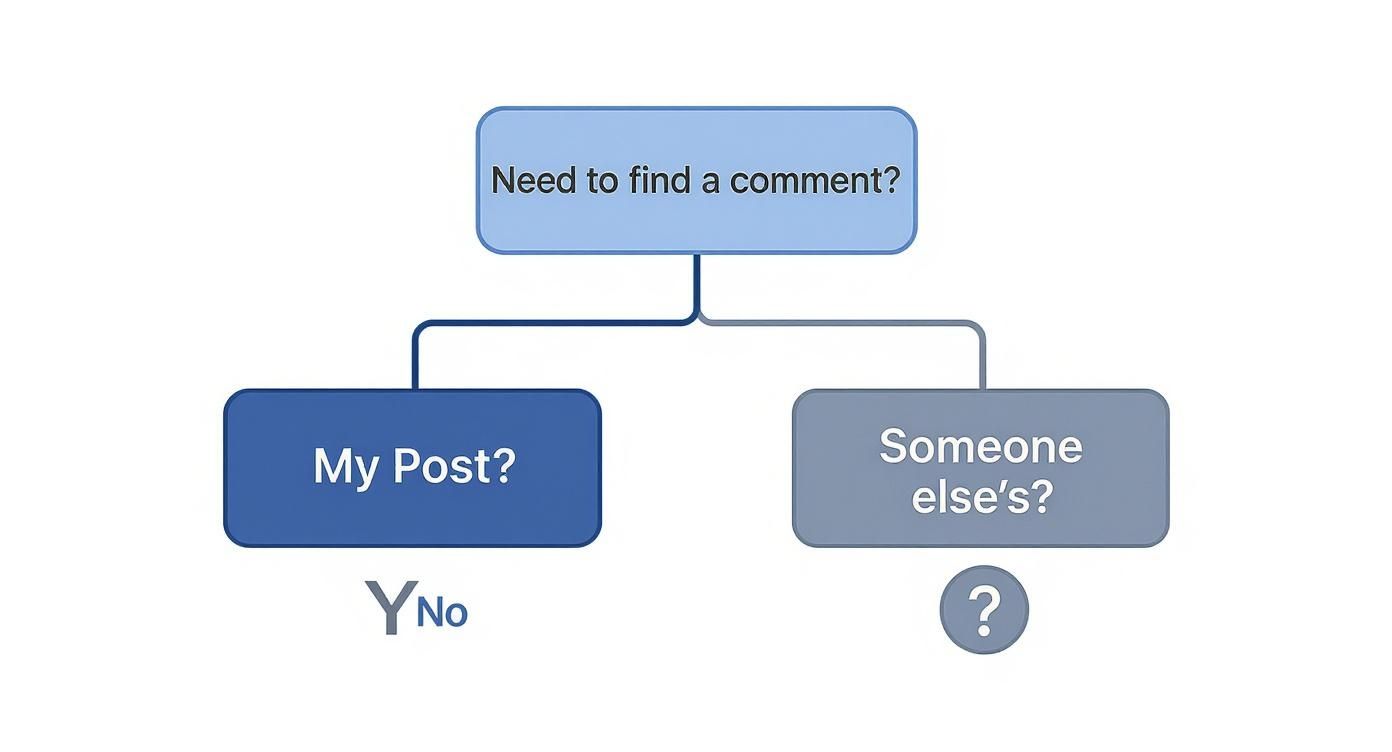
As the flowchart shows, you’ve got options when searching comments on your own posts. But when it comes to searching other people’s comment sections, you’re pretty much stuck with manual scrolling.
With a dedicated tool, you can finally search all your comments for specific keywords. Imagine you run a clothing brand and just launched a new collection. You could set up a saved search for terms like “sizing,” “fabric,” or “shipping” to instantly pull up every relevant piece of feedback across all your posts. This is an absolute game-changer for gathering real-time market research and product insights.
This is the leap from reactive moderation- just deleting spam- to a proactive engagement strategy. You’re no longer just putting out fires; you’re actively seeking out and joining key conversations happening on your page.
This level of management is essential when you remember that a whopping 90% of Instagram users follow at least one business. These aren’t just passive followers; they’re actively looking for information and engaging with brands. Being able to efficiently find and respond to their comments isn’t just a “nice-to-have”- it’s a core business function.
Beyond simple keyword searches, these platforms pack in other powerful features that are indispensable for any growing account.
- Sentiment Analysis: Some tools can automatically tell if a comment is positive, negative, or neutral. This helps you prioritize urgent issues and spot unhappy customers before things escalate.
- User History: Ever wonder if that person has commented before? These tools often let you click on a user’s profile to see a full history of their past comments, giving you crucial context for your reply.
- Team Collaboration: This is a big one for larger teams. You can assign comments to specific team members, leave internal notes for context, and mark conversations as resolved to keep everyone on the same page.
Investing in a management tool is often the next logical step after you’ve nailed down your content strategy. It goes hand-in-hand with understanding your performance. For those ready to scale, check out some of the top Instagram analytics tools available in 2025. When you combine powerful analytics with robust comment management, you create a complete, sustainable system for real Instagram growth.
The Reality of Buying Instagram Followers
Let’s get real for a minute and talk about a “shortcut” that trips up so many people: buying Instagram followers. The pressure is on, I get it. When you’re just starting out, that low follower count can feel like a huge roadblock to looking credible. The idea of getting an instant authority boost is tempting.
The market for these services is absolutely massive. You can find everything from dirt-cheap packages promising thousands of bot accounts overnight to pricier options that claim to deliver “real” followers who- spoiler alert- never actually engage. The appeal is always the same: skip the grind of organic growth. But this shortcut is littered with traps that can seriously sabotage your account in the long run.
The True Cost of Fake Followers
When you buy followers, you aren’t buying an audience. You’re just buying a number. These accounts are almost always bots or ghost followers who will never like your posts, share your content, or leave a meaningful comment. The first thing to die is your engagement rate.
Picture this: you have 50,000 followers, but your posts are only getting 20 likes. That massive gap is a blaring red flag for the Instagram algorithm and any real brands or collaborators looking at your profile. The algorithm sees that your content is flopping with your supposed “audience” and throttles your reach, hiding your posts from the few genuine followers you do have. If you want to know how these services work, our guide on how to buy followers for Instagram breaks down exactly what you’re getting into.
Buying followers is like building a house on a foundation of sand. It might look impressive from a distance, but it lacks the structural integrity to support any real growth and will eventually collapse.
On top of that, Instagram is always on the hunt for inauthentic activity. Accounts that inflate their numbers this way are constantly at risk of having their fake followers purged, getting flagged, or even being suspended for good. It’s a high-stakes gamble with your account’s very existence on the line.
Why Organic Growth Is a Smarter Strategy
I know the slow-and-steady approach of earning real followers can feel like a slog, but it’s the only way to build something that lasts. An organic audience is made up of actual people who are genuinely interested in what you’re doing. They’re the ones who will interact with your content, give you real feedback, and maybe even become your biggest supporters or customers down the line.
Here’s why organic always wins out:
- Genuine Engagement: Real followers like, save, and share your stuff. This tells the algorithm your content is valuable, which gets you more visibility.
- Meaningful Feedback: When you need to search comments on Instagram for customer insights, you’ll find real thoughts from real people- not just crickets.
- Brand Credibility: An account with 1,000 loyal, engaged followers is infinitely more valuable and credible than an account with 100,000 fakes. Authenticity is what builds trust.
At the end of the day, buying followers only gets you a vanity metric that holds zero real value. It wrecks your credibility, tanks your engagement, and puts your account in jeopardy. Pouring that same energy into creating great content and building a real community is a slower path, but it’s the only one that leads to sustainable, rewarding growth.
Best Practices for Comment Management and Moderation

Finding comments is just the starting line- the real magic happens in how you manage them. A well-moderated comment section isn’t just a place for replies; it’s the community hub where you build trust and loyalty. Smart moderation isn’t about being glued to your phone 24/7. It’s about having a clear, efficient strategy.
This means you have to move beyond just reacting to notifications as they pop up. When you create a playbook for handling different types of interactions, you save time, keep your brand voice consistent, and turn your comments into a valuable asset. The whole point is to foster a positive space where your genuine followers feel heard and appreciated.
Fostering a Positive and Engaging Community
A proactive approach to moderation is your best defense against the endless tide of spam and negativity. Instead of just waiting for problems to show up, use Instagram’s own tools to set the tone for your community from the get-go.
Here are a few things you can do right now:
- Pin High-Value Comments: Did a follower leave an amazing, insightful question or a glowing testimonial? Pin it to the top. This immediately rewards positive engagement and shows everyone else what kind of interaction you value most.
- Use the Hidden Words Filter: As we touched on earlier, this feature is your first line of defense. Build a custom list of spammy keywords, offensive terms, or even competitor names you don’t want showing up. It’s like an automatic bouncer for your comment section.
- Don’t Be Afraid to Block: For the repeat offenders or truly abusive users, the block button is your best friend. Protecting your community’s vibe is always the right call.
Knowing who you’re talking to is also a huge piece of the puzzle. The demographics of Instagram commenters are telling: 61.1% of users are between 18 and 34 years old, making them by far the most active group on the platform. Understanding your audience helps you tailor your responses and build a much stronger connection.
Handling Feedback and Building Trust
How you handle negative feedback says everything about your brand. Just ignoring criticism or deleting comments can backfire spectacularly, making you look defensive or like you have something to hide. Instead, think of these moments as opportunities.
Responding to negative comments with grace and a genuine desire to help can turn an unhappy customer into a loyal advocate. A public, professional response shows everyone else that you care and are committed to getting things right.
For common questions, it’s a good idea to create a few pre-written (but customizable) reply templates. This helps you respond quickly and consistently without sounding like a robot. You can find some helpful guidance in our article on using Instagram bots for comments and how to keep that authentic voice. At the end of the day, a timely, helpful reply is one of the most powerful tools you have for building a strong, engaged community.
Your Top Questions About Instagram Comments, Answered
Once you start digging into comment management, a few common questions always seem to pop up. Let’s tackle some of the biggest ones I hear from people trying to get a handle on their Instagram comments.
Can I Find a Comment I Made on Someone Else’s Post?
This is a frustrating one, but the short answer is no. Instagram doesn’t have a feature that lets you search for or see a running list of all the comments you’ve left on other people’s posts.
Your only real move here is to rack your brain, remember the specific post, and navigate back to it the old-fashioned way. This is exactly why it’s often a better idea to send a DM if you’re asking a question you might need to find later.
Are Third-Party Search Apps Safe to Use?
This is a big “it depends.” Reputable, well-known social media management platforms like Sprout Social, Hootsuite, or Agorapulse are generally safe. They plug into Instagram’s official API and have serious security measures to protect your account.
Where you get into trouble is with those shady, unknown, or “free” apps that ask for your Instagram password directly. Handing over your login info to an untrusted app is a massive security risk and a fast track to getting your account compromised. Always, always stick with services that have a solid reputation.
Here’s the golden rule for keeping your account safe: If a tool asks for your password instead of redirecting you to an official Instagram login screen, run the other way. Legitimate platforms will always use secure, API-based authentication.
How Can I Find a Giveaway Winner in the Comments?
Without a dedicated tool, you’re looking at a purely manual job. The classic method is to just sit there and scroll through every single comment on your giveaway post.
To make this a little less painful, I’ve got a small trick:
- Pull up the post on your desktop computer, not your phone.
- Keep clicking “Load more comments” until every last one is visible on the page.
- Once they’re all loaded, use your browser’s find function (Ctrl+F on Windows, Cmd+F on Mac) to search for any required hashtags or mentions.
Honestly, though, if you have a ton of entries, using a third-party random comment picker is going to be the most efficient and fair way to handle it.
Does Hiding Comments Affect My Engagement?
Nope. Hiding a comment doesn’t hurt your engagement rate or make your post less visible in the algorithm. It simply makes that comment (and any replies to it) invisible to everyone except the person who wrote it.
This is an incredibly useful moderation tool. It lets you clean up spam, off-topic, or slightly negative comments without having to bring out the block button and escalate the situation.
Ready to stop guessing and start growing? Hexrate uses its patented AI engine to connect your content with real, engaged followers who are genuinely interested in what you do. See how our data-driven approach can build you an authentic community at https://hexrate.io.
Smart marketers love Hexrate!
Start growth today.
Stop stressing about your Instagram account - our winning growth tactics are time-tested to help you achieve real results – fast & guaranteed!
Get started