How to Schedule Instagram Posts: The Ultimate Automation Guide

Learning how to schedule posts on Instagram is one of the most powerful ways to stay consistent, increase engagement, and save hours of manual posting every week. Whether you’re a creator, business owner, or social media manager, mastering Instagram scheduling will help you grow faster and work smarter.
This guide covers how to schedule Instagram posts, the best tools for automation, and proven strategies to maximize your reach.

Can You Schedule Posts on Instagram? (Yes – and It’s Easy)
If you’ve wondered “can you schedule posts on Instagram?” the answer is absolutely yes. Instagram allows you to schedule posts, Reels, carousels, and Stories up to 75 days in advance with its built-in scheduling feature.
But for those who want deeper analytics, better workflows, and professional-level control, third-party scheduling tools offer far more flexibility.
To understand your performance before scheduling, check out Instagram Insights – a crucial guide to analyzing your content.
Why Scheduling Instagram Posts Is Essential
Instagram has evolved, and so has the competition. Scheduling is no longer optional – it’s part of a strong content strategy.
Higher Engagement
Posts published when your audience is most active get significantly more reach.
Learn the ideal publishing times with best times to post on Instagram.
Better Consistency
Scheduling ensures you post regularly – which the algorithm loves.
More Professional Branding
With a calendar, your feed looks more cohesive and strategic.
More Time Saved
Batch-creating and scheduling frees you from daily posting stress.
To manage tasks across multiple channels, explore social media management tools for small businesses.

How to Automate Instagram Posts (3 Easy Ways)
1. Schedule Posts on Instagram Directly
Instagram lets you:
- Upload a post
- Go to Advanced Settings
- Toggle Schedule
- Pick a time and date
Perfect for simple automation.
2. Use Meta Business Suite (Creator Studio)
Great for desktop users needing:
- Reel scheduling
- Story scheduling
- Multi-profile publishing
3. Use Professional Scheduling Tools
Best for creators, agencies, and brands that want:
- Analytics
- Team collaboration
- Multi-platform posting
- Visual content calendars
If you want powerful insights to guide your scheduling, check out top Instagram analytics tools.
Best Instagram Scheduling Tools for 2025
Below are the most reliable platforms used by creators, entrepreneurs, and agencies.
1. SocialPilot
Best for: Agencies and content-heavy creators
Why it’s great:
- Supports all post types
- First-comment scheduling
- Bulk scheduling
- Collaboration tools
2. Sendible
Best for: Teams managing multiple accounts
Features:
- Schedule 300 posts at once
- Visual calendar
- Team chat
- Post recycling
3. Hootsuite
Best for: Brands requiring advanced analytics
Features:
- 35 connected social accounts
- Unlimited scheduling
- Trend monitoring
4. Tailwind
Best for: Beginners and small brands
Features:
- Free plan
- Drag-and-drop feed planner
- Caption generator
5. Later
Best for: Creators who need a visual planner
Features:
- Analytics dashboard
- Auto-publish for Reels
- Drag-and-drop calendar
How to Schedule Instagram Posts for Maximum Results
Scheduling alone isn’t enough – you need a strategy.
1. Deeply Understand Your Target Audience
Know their:
- Demographics
- Active hours
- Interests
- Pain points
To build a growth-focused strategy, read Instagram growth strategy 2025.
2. Mix Your Content Formats
To stay relevant and maximize reach, rotate:
- Reels
- Carousels
- Stories
- Static images
- User-generated content
Each format supports a different metric – reach, saves, shares, and trust.
3. Plan & Schedule 30–90 Days Ahead
Top creators plan months ahead. Your calendar should include:
- Product launches
- Seasonal trends
- Collaborations
- Story sequences
- Reels batches
4. Use Data to Guide Posting Times
Analytics reveal when your audience is most active. This directly affects your reach.
To optimize your timing, see the best times to post on Instagram guide.
5. Collaborate With Influencers
Collabs:
- Boost reach
- Build authority
- Bring in fresh audiences
Add collabs to your scheduled content each month.
6. Boost High-Performing Content
If a post starts performing well, boost it to amplify reach. Analytics tools help you identify these opportunities instantly.
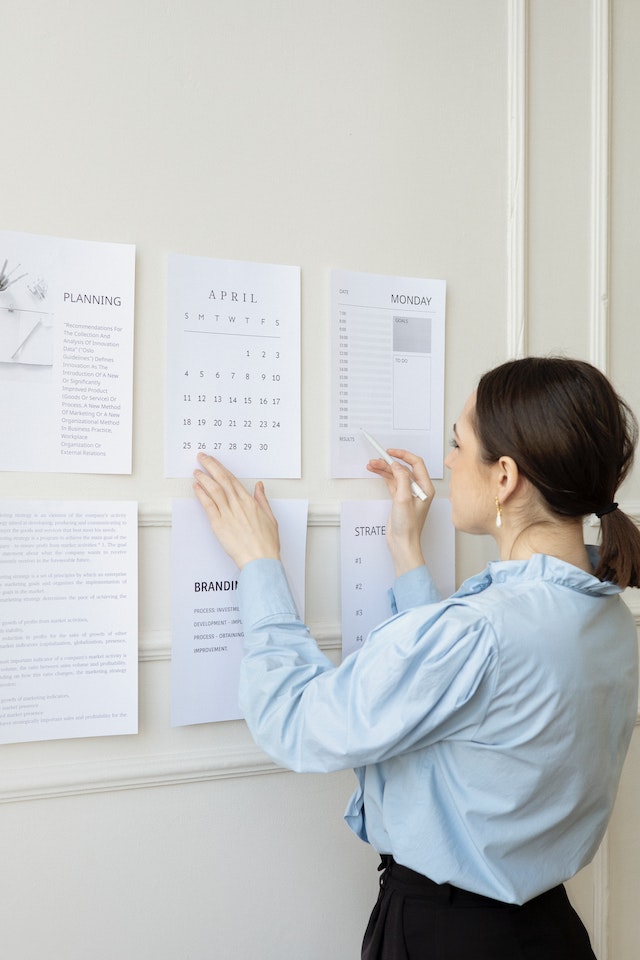
How to Plan Instagram Posts Like a Pro (Step-by-Step)
Follow this simple structure:
Step 1: Define Content Pillars
Examples:
- Tips
- Behind-the-scenes
- Tutorials
- Testimonials
Step 2: Set a Monthly Theme
Match it to campaigns or seasons.
Step 3: Batch-Create Content
Film Reels, write captions, prepare Stories.
Step 4: Upload Everything to Your Scheduler
Step 5: Adjust Weekly Based on Analytics
Improve, refine, and reschedule.

Why Scheduling Instagram Posts Is a Growth Necessity
Learning how to schedule Instagram posts and using automation tools will help you:
- Stay consistent
- Increase engagement
- Post at the best times
- Maintain a polished brand
- Save hours of manual work
Now, smart scheduling is the foundation of long-term growth.
Grow Faster With Hexrate (Your Strategic Advantage)
Hexrate delivers ethical, AI-powered Instagram growth, designed for creators and brands who want REAL followers – not bots.
With Hexrate, you can:
- Get real, targeted followers
- Boost engagement organically
- Increase visibility
- Strengthen your content performance
- Grow consistently with AI insights
Start growing authentically with Hexrate – the smarter way to scale Instagram.
Smart marketers love Hexrate!
Start growth today.
Stop stressing about your Instagram account - our winning growth tactics are time-tested to help you achieve real results – fast & guaranteed!
Get started
Disclosure: Hexrate operates an organic Instagram growth service that appears in this comparison. We disclose this upfront and ranked all services using the same…

An Instagram engagement rate calculator is simply a tool that cuts through the noise. It measures how many people are actually interacting with your content-…

Instagram used to feel simple and predictable, almost like a casual digital scrapbook where you could post moments, follow your friends, and exchange messages without…

TL;DR — Quick Steps Open Instagram → go to your Profile → tap the menu (☰) → Settings and privacy → Account privacy…

If you’re serious about content creation, learning how to download Instagram videos is a skill you’ll eventually need. Maybe you want to: Repurpose content for…