
12 Melhores Ferramentas de Análise do Instagram para um Crescimento Sério em 2026
Descubra as melhores ferramentas de análise do Instagram para acompanhar métricas e fazer seu perfil crescer com decisões baseadas em dados.

Se você só acompanha curtidas e número de seguidores, está perdendo boa parte da história. O verdadeiro crescimento no Instagram não é apenas sobre números maiores – é sobre entender o “quem” e o “porquê” por trás do seu desempenho. Confiar em métricas superficiais é como navegar sem mapa: você está se movendo, mas não sabe se é na direção certa. Este guia explora as melhores ferramentas de análise do Instagram que ajudam você a ir além das métricas de vaidade e tomar decisões baseadas em dados que realmente impulsionam o crescimento.
Vamos explorar como usar essas plataformas para refinar sua estratégia, comprovar seu ROI e entender o que realmente ressoa com seu público. Isso não é apenas uma lista de recursos. É uma análise prática de como escolher a ferramenta certa para seus objetivos específicos, seja você um influenciador, uma pequena empresa ou uma agência de marketing gerenciando múltiplas contas.
Neste recurso, você encontrará uma análise completa de cada ferramenta, incluindo:
- Prós e contras honestos, baseados no uso real.
- Detalhamento claro de preços para se encaixar em qualquer orçamento.
- Capturas de tela e links diretos para você começar imediatamente.
Esqueça os achismos. Este artigo oferece um roteiro claro para transformar dados brutos em insights práticos. Vamos mostrar como interpretar métricas complexas, identificar seu conteúdo mais valioso e, por fim, construir uma presença no Instagram mais engajada e rentável. Vamos encontrar a ferramenta perfeita para desbloquear todo o potencial da sua conta.
Fonte: Sprout Social, Relatório de Estratégia de Conteúdo para Redes Sociais de 2026
1. Hexrate
Ideal para: Criadores e marcas que querem uma única plataforma que cubra orientação diária de desempenho, pesquisa de criadores/perfis, alcance, acompanhamento de campanhas e relatórios prontos para clientes.
O Hexrate se posiciona como uma plataforma completa de marketing para Instagram, e não apenas mais uma ferramenta de análise. É estruturado em torno de quatro pilares conectados: Pulse, Discover, Campaigns e Reports & Media Kit. Juntos, eles transformam dados brutos de desempenho em um plano de ação diário, ajudam você a pesquisar criadores e auditar a saúde do perfil, colocam seu conteúdo diante de contas relevantes, acompanham o impacto de campanhas e reúnem tudo em relatórios prontos para clientes – tudo isso sem nunca pedir sua senha.

A plataforma foi desenvolvida para quem entende que a verdadeira influência vem de alcance relevante e engajamento genuíno, não de números inflados. Ao operar dentro das diretrizes do Instagram, ela oferece um caminho mais seguro e transparente para a visibilidade do que serviços que prometem números de seguidores ou velocidade de crescimento – o Hexrate não faz esse tipo de promessa, focando, em vez disso, em oferecer as ferramentas para encontrar o público certo e comprovar o impacto do seu trabalho.
Principais Recursos e Análise
- Pulse: transforma seus dados diários em um plano de ação claro – o que postar a seguir, quais comentários e DMs priorizar, e o que mudou no seu desempenho desde ontem.
- Discover: um diretório de criadores combinado com auditorias de perfil que cobrem sinais de qualidade de seguidores, taxas de colaboração sugeridas e a saúde geral da conta – útil para avaliar sua própria conta ou um parceiro em potencial.
- Campaigns: acompanha campanhas de hashtag e menções, reúne UGC (conteúdo gerado por usuários) em um repositório compartilhado e reporta alcance, CPM e CPE para que você possa mostrar o impacto real das campanhas a clientes ou stakeholders.
- Reports & Media Kit: exporta relatórios em PDF com marca branca e mantém um media kit público no seu @username – útil para apresentar propostas a marcas ou clientes sem precisar montar uma apresentação do zero.
A adesão tem baixo risco: planos mensais flexíveis, política de cancelamento a qualquer momento e garantia de devolução do dinheiro em 7 dias permitem testar a plataforma sem compromisso de longo prazo, e o suporte multilíngue a torna acessível a uma base de usuários global.
Site: Hexrate
2. Meta Business Suite (Instagram Insights)
Antes de investir em qualquer software de terceiros, o primeiro passo deve sempre ser a própria análise nativa do Instagram, acessível gratuitamente pelo Meta Business Suite. Essa é a fonte de dados oficial e direta, o que a torna uma das ferramentas de análise do Instagram mais confiáveis e fundamentais disponíveis. Ela já vem integrada à plataforma, sem exigir configuração extra para contas Business ou Criador.
A interface, seja no computador ou no aplicativo, oferece uma visão geral simples do seu desempenho. Você tem acesso a métricas essenciais sobre conteúdo, público e atividade do perfil, incluindo alcance, impressões, taxas de engajamento e tendências de crescimento de seguidores. Embora não seja feita para análises competitivas profundas ou relatórios complexos, ela se destaca por oferecer panoramas rápidos e precisos do que está funcionando.
Principais Recursos e Casos de Uso
- Desempenho do Perfil: acompanhe a evolução de seguidores, visitas ao perfil e cliques no site em períodos específicos.
- Métricas Específicas de Conteúdo: analise o desempenho individual de posts, Reels e Stories, incluindo métricas como reproduções, compartilhamentos e salvamentos. Isso ajuda a entender quais formatos de conteúdo mais ressoam com seu público.
- Dados Demográficos do Público: acesse dados essenciais sobre as principais localizações, faixas etárias e distribuição por gênero dos seus seguidores. Você também pode ver os horários em que eles estão mais ativos, o que é essencial para agendar publicações.
- Ferramentas Integradas: além da análise, o Suite inclui um planejador de conteúdo para agendar publicações e uma caixa de entrada unificada para gerenciar DMs e comentários.
Prós e Contras
| Prós | Contras |
|---|---|
| Totalmente Gratuito: sem custo para acessar os dados essenciais. | Dados Históricos Limitados: geralmente restritos aos últimos 90 dias. |
| Precisão de Fonte Direta: os dados vêm diretamente da fonte. | Relatórios Básicos: falta de opções avançadas de exportação e personalização. |
| Fácil Acesso: integrado ao aplicativo e ao computador. | Sem Análise de Concorrentes: você só pode visualizar suas próprias métricas. |
O Meta Business Suite é o ponto de partida perfeito para influenciadores, pequenas empresas e qualquer pessoa iniciando na análise de redes sociais. Ele fornece as informações essenciais necessárias para tomar decisões informadas sem sobrecarregar você. Para quem quer dominar o básico, é possível se aprofundar mais neste guia sobre as métricas do Instagram que realmente importam.
Site: Meta Business Suite
3. Sprout Social
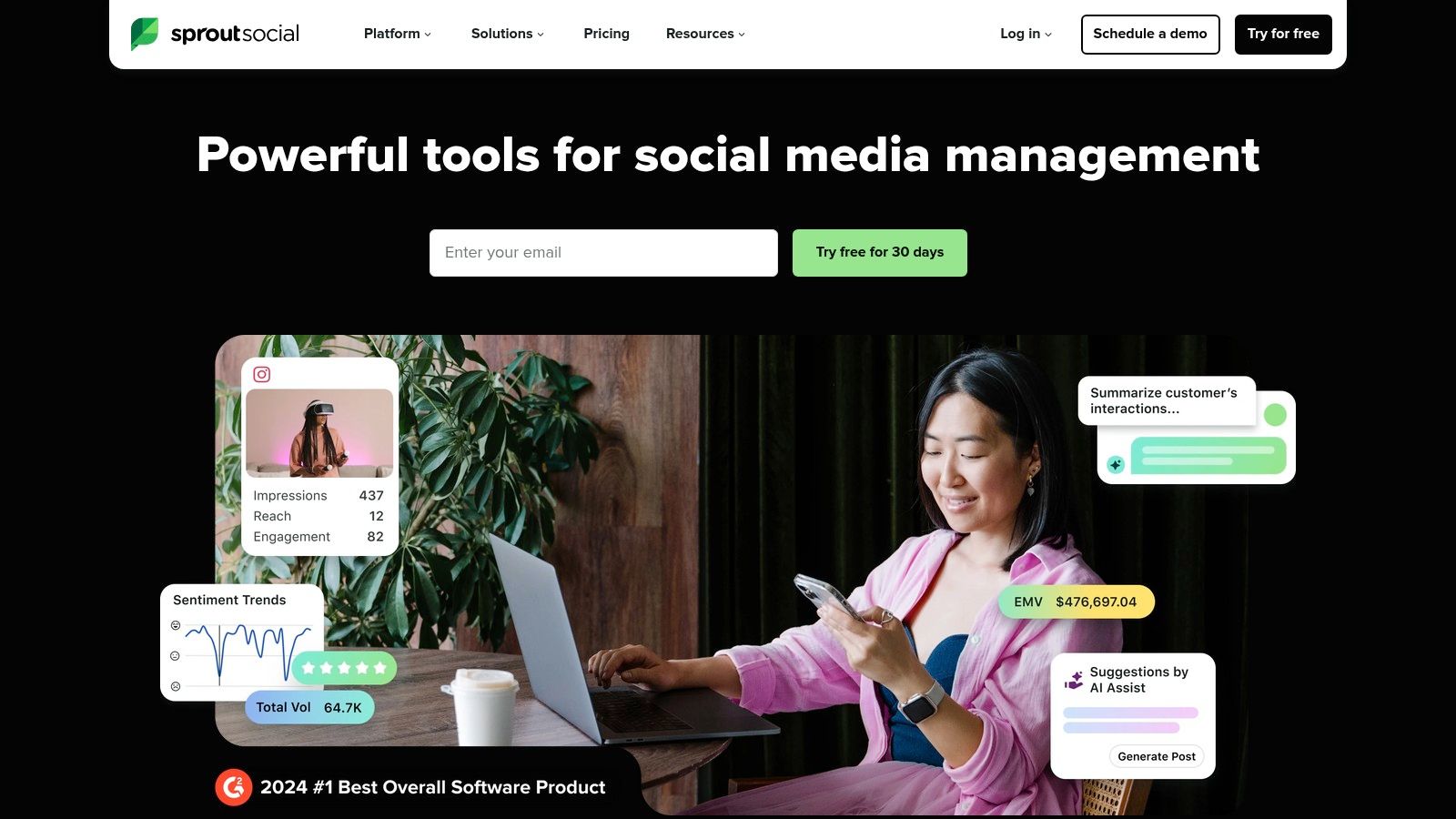
O Sprout Social é uma plataforma de gestão de redes sociais de nível empresarial que oferece algumas das ferramentas de análise do Instagram mais completas do mercado. Foi criado para marcas de médio porte, agências e equipes maiores que precisam de relatórios robustos, análise de concorrentes e fluxos de trabalho colaborativos em um só lugar. Seu conjunto de recursos vai muito além de métricas básicas, oferecendo insights profundos sobre o desempenho pago e orgânico.
A plataforma é conhecida por sua interface refinada e por seu poderoso construtor de relatórios, que permite ampla personalização. Enquanto muitas ferramentas focam em ajudar você a entender seu público, o Sprout Social se destaca por traduzir esses dados em estratégias práticas, ajudando a refinar seu conteúdo, otimizar o horário das publicações e demonstrar o ROI aos stakeholders por meio de um crescimento orgânico e sustentável, apoiado por dados.
Principais Recursos e Casos de Uso
- Relatórios Avançados do Instagram: obtenha análises detalhadas de perfis, posts individuais, Stories e Reels. Acompanhe desde impressões e engajamento até taxas de retenção de vídeo.
- Desempenho de Concorrentes e Pago: compare seu desempenho com o de concorrentes e analise a eficácia das suas campanhas pagas junto com os esforços orgânicos para ter uma visão completa.
- Painéis Multiplataforma: gerencie e gere relatórios de todos os seus perfis sociais (não só do Instagram) a partir de um único painel unificado, ideal para equipes de marketing multicanal.
- Horários Ideais de Publicação: a tecnologia patenteada ViralPost, da Sprout, analisa os padrões de engajamento do seu público para sugerir os melhores horários para publicar conteúdo e maximizar o alcance.
Prós e Contras
| Prós | Contras |
|---|---|
| Plataforma Completa: combina análise com publicação. | Preços Elevados: os planos variam de US$ 79 a US$ 399 por usuário/mês, e complementos como análise premium ou monitoramento de redes sociais custam à parte. |
| Relatórios Poderosos: altamente personalizáveis e exportáveis. | Modelo por Usuário: os custos podem aumentar rapidamente conforme você adiciona usuários. |
| Suporte e Integrações Sólidos: excelente atendimento ao cliente. | Exagerado para Iniciantes: pode ser complexo demais para criadores individuais. |
O Sprout Social é a escolha ideal para empresas consolidadas e agências que precisam de uma solução confiável, escalável e rica em dados. Seu preço elevado reflete recursos de nível empresarial, tornando-o um investimento significativo para quem foca em maximizar o impacto nas redes sociais. Um teste gratuito de 30 dias permite que as equipes explorem totalmente seus recursos antes de assinar.
Site: Sprout Social
4. Hootsuite
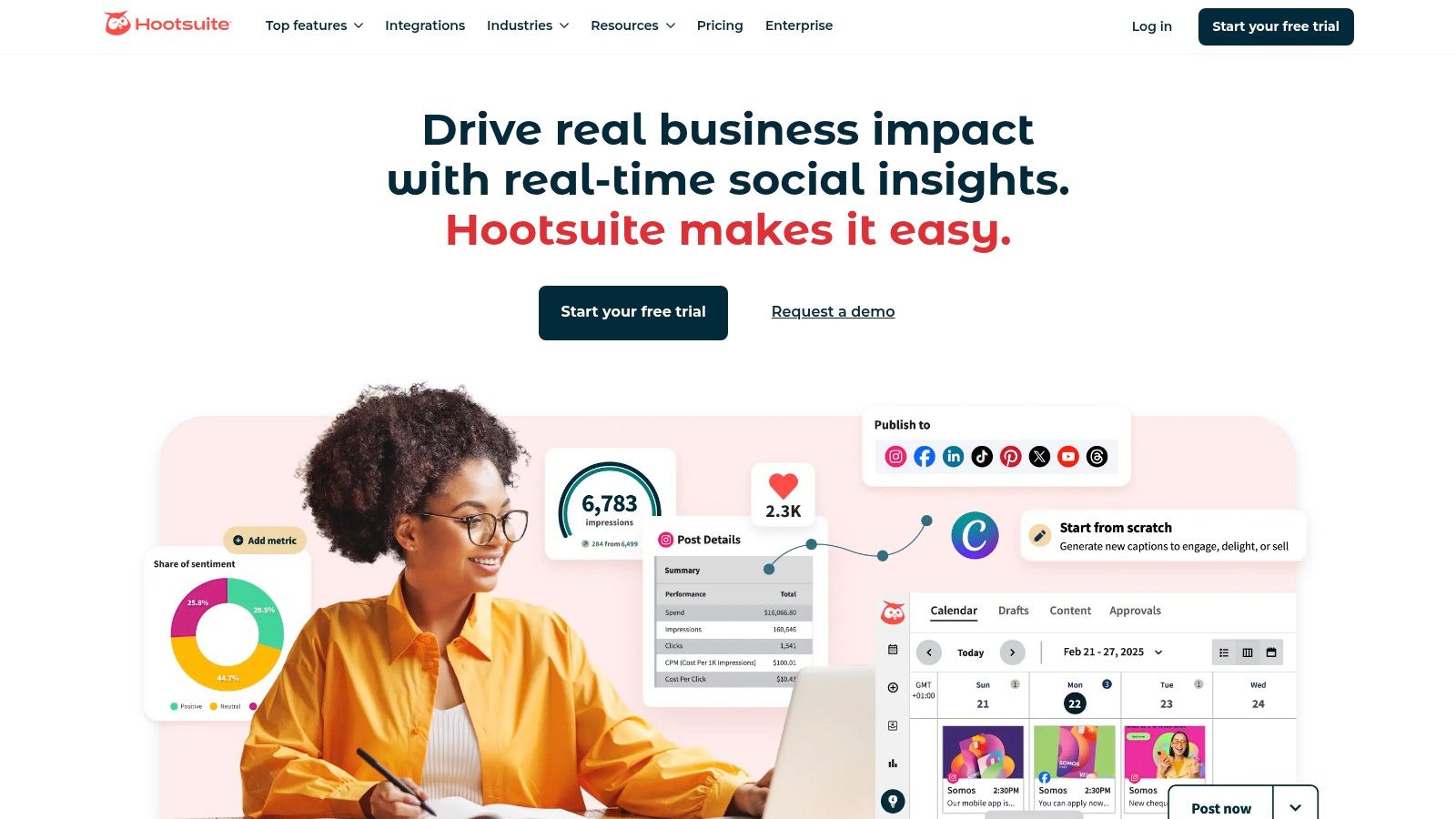
O Hootsuite é mais do que apenas uma plataforma de análise; é um pacote completo de gestão de redes sociais que se destaca por unificar fluxos de publicação, engajamento e geração de relatórios. Para equipes que precisam de um hub centralizado para todas as atividades em redes sociais, o Hootsuite se destaca como uma das melhores ferramentas de análise do Instagram porque integra análises profundas de dados diretamente ao processo de criação de conteúdo e gestão de comunidade. Essa abordagem tudo-em-um é ideal para empresas que buscam escalar suas operações com eficiência.
A plataforma permite criar painéis de análise personalizados e compartilháveis, que reúnem as métricas específicas mais importantes para sua equipe. Suas análises vão além do seu próprio desempenho, oferecendo comparação com concorrentes e recursos de monitoramento de redes sociais que ajudam a entender a posição da sua marca no mercado mais amplo. A interface é robusta, projetada para lidar com múltiplas contas e membros da equipe com diferentes níveis de permissão.
Principais Recursos e Casos de Uso
- Painéis de Análise Personalizáveis: crie e agende relatórios automatizados usando modelos ou monte os seus do zero para acompanhar os principais indicadores de desempenho.
- Sugestões de Melhor Horário para Postar: a plataforma analisa seu engajamento anterior para recomendar os horários ideais de publicação, ajudando a maximizar o alcance orgânico.
- Comparação de Concorrentes e Sentimento: acompanhe contas de concorrentes para ver como seu conteúdo e crescimento se comparam, além de monitorar o sentimento social em torno de palavras-chave relevantes.
- Fluxos de Trabalho Unificados: gerencie múltiplos perfis, agende conteúdo e interaja com seu público a partir de uma única caixa de entrada. Também inclui fluxos de aprovação para colaboração em equipe.
Prós e Contras
| Prós | Contras |
|---|---|
| Plataforma Completa e Madura: combina análise, agendamento e engajamento. | Níveis de Preço Confusos: os planos variam de US$ 99 a US$ 399 por usuário/mês, e recursos avançados geralmente ficam restritos aos planos mais caros. |
| Amplos Recursos de Treinamento: oferece uma grande variedade de tutoriais e certificações. | Pode Ser Complexo para Iniciantes: a grande quantidade de recursos pode ser avassaladora. |
| Forte Colaboração em Equipe: desenvolvido com fluxos de trabalho multiusuário e aprovações em mente. | Sem Plano Gratuito: o Hootsuite eliminou seu nível gratuito; só há um teste por tempo limitado. |
O Hootsuite é mais indicado para empresas consolidadas e agências que precisam de uma ferramenta poderosa e centralizada para gerenciar toda a sua presença em redes sociais, não apenas analisá-la. Seu sistema integrado sustenta uma estratégia holística, do planejamento de conteúdo à mensuração do impacto. Para conhecer melhor opções semelhantes, veja este guia de ferramentas de gestão de redes sociais para pequenas empresas.
Site: Hootsuite
5. Later
O Later começou como uma ferramenta de agendamento para Instagram e evoluiu para uma plataforma completa, com forte foco em planejamento visual e análises acessíveis. É especialmente valorizado por criadores, pequenas empresas e gestores de redes sociais que priorizam uma interface limpa e fácil de usar, tanto para gestão de conteúdo quanto para acompanhamento de desempenho. A plataforma torna a compreensão dos dados simples, sem exigir mergulhos profundos em painéis complexos.
Enquanto muitas ferramentas do mercado focam apenas em dados pesados, o Later integra a análise diretamente ao fluxo de criação de conteúdo. Isso o torna uma das melhores ferramentas de análise do Instagram para equipes que precisam conectar métricas de desempenho diretamente ao calendário de conteúdo. Ele oferece insights claros e práticos que ajudam a entender o que postar e quando, tornando todo o processo mais eficiente.

Principais Recursos e Casos de Uso
- Análise de Desempenho de Posts: explore métricas detalhadas de posts individuais, Stories e Reels para ver o que ressoa. Acompanhe engajamento, alcance, impressões e mais para refinar sua estratégia de conteúdo.
- Rastreamento de Link na Bio: o recurso Linkin.bio do Later é uma ferramenta poderosa que não só cria uma landing page clicável para sua bio, mas também rastreia cliques e vendas, conectando o conteúdo diretamente às conversões.
- Comparação de Concorrentes e Períodos: o plano Scale adiciona comparação com concorrentes e monitoramento da saúde da marca, além das análises personalizadas, oferecendo contexto essencial para o seu crescimento. As análises da plataforma também ajudam a identificar seu melhor horário exclusivo para postar no Instagram e maximizar o engajamento.
- Ferramentas de UGC e Fluxo de Trabalho: colete conteúdo gerado por usuários e gerencie aprovações de fluxo de trabalho da equipe, simplificando o processo de conteúdo desde a descoberta até a publicação.
Prós e Contras
| Prós | Contras |
|---|---|
| Planos de Entrada Acessíveis: o plano Starter começa em torno de US$ 18,75/mês na cobrança anual. | Análises Avançadas Restritas: a comparação com concorrentes é exclusiva do plano Scale, o mais alto. |
| Interface Moderna e Intuitiva: muito fácil de aprender e usar rapidamente. | Limites de Dados Históricos: a retenção de análises varia de 3 meses a 2 anos, dependendo do plano. |
| Forte Integração com Agendamento: as análises estão ligadas ao plano de conteúdo. | Não É uma Solução Empresarial: falta monitoramento profundo ou relatórios personalizados complexos. |
O Later é uma excelente escolha para marcas e criadores voltados para o visual que buscam uma solução integrada e completa para planejar, agendar e analisar seu conteúdo no Instagram. Seu preço acessível e facilidade de uso o tornam uma opção destacada para quem não precisa da complexidade de um software de nível empresarial, mas ainda quer dados robustos e práticos para guiar sua estratégia.
Site: Later
6. Iconosquare
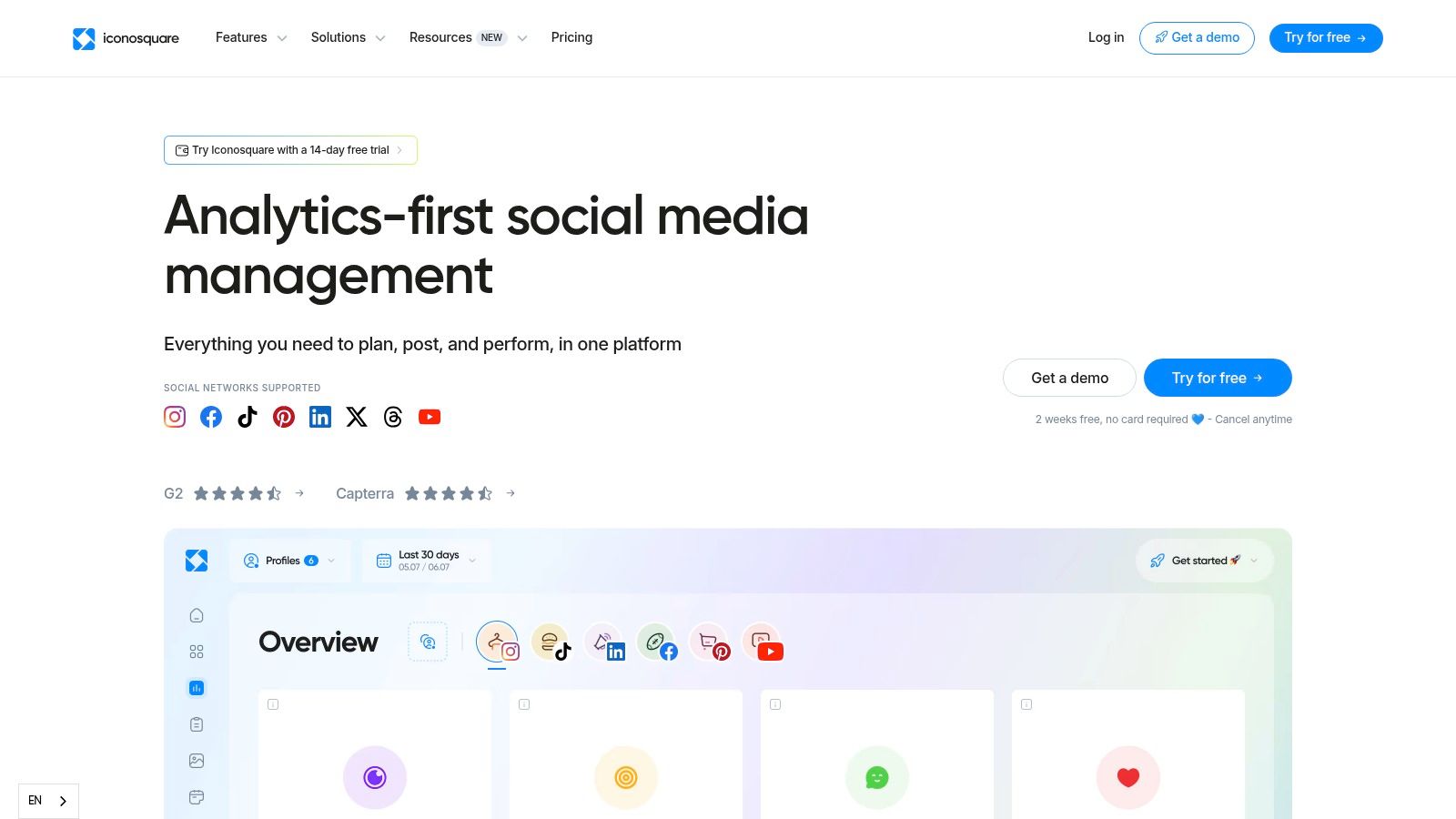
Para agências, marcas com múltiplas unidades e profissionais de marketing orientados por dados, o Iconosquare se destaca como uma plataforma focada em análise. Ele vai além de métricas superficiais para oferecer alguns dos recursos de relatório e comparação mais detalhados do mercado. Se você precisa justificar o ROI das redes sociais com dados detalhados, acompanhar o desempenho de concorrentes e automatizar fluxos de relatórios, o Iconosquare é uma das melhores ferramentas de análise do Instagram criada especificamente para esse propósito.
A plataforma é conhecida por seus painéis limpos e intuitivos, que facilitam a compreensão de dados complexos. Ela se concentra fortemente em fornecer insights práticos, ajudando a entender não apenas o que aconteceu, mas por que aconteceu. Esse foco em análises profundas ajuda as equipes a refinar sua estratégia de conteúdo e melhorar o desempenho de forma consistente ao longo do tempo, indo além de simples métricas de vaidade.
Principais Recursos e Casos de Uso
- Conjunto de Análises Profundas: acesse dezenas de métricas, incluindo detalhamentos granulares de alcance, engajamento e desempenho de conteúdo. Seu recurso de melhor horário para postar é gerado algoritmicamente com base na atividade específica do seu público.
- Comparação com Concorrentes e Setor: acompanhe múltiplos perfis de concorrentes para comparar seu crescimento, taxas de engajamento e estratégia de conteúdo com outros do seu nicho.
- Relatórios Automatizados: crie painéis personalizados e agende relatórios automáticos para serem enviados diretamente à sua equipe ou clientes em PDF ou CSV. Isso economiza um tempo enorme para agências.
- Acompanhamento de Campanhas: marque posts específicos como parte de uma campanha para monitorar o desempenho coletivo e medir o impacto de ações de marketing direcionadas.
Prós e Contras
| Prós | Contras |
|---|---|
| Análises mais profundas do que muitas ferramentas tudo-em-um. | Os preços são listados em EUR (a partir de €33/mês), o que pode exigir conversão de moeda. |
| Fortes opções de relatórios e exportação. | Alguns recursos avançados exigem planos de nível mais alto. |
| Inclui um teste gratuito e um aplicativo móvel. | Pode ser exagerado para criadores individuais ou empresas muito pequenas. |
O Iconosquare é a solução ideal para profissionais que precisam de dados robustos e confiáveis para orientar sua estratégia no Instagram. Ele oferece as ferramentas necessárias para comprovar valor e tomar decisões mais inteligentes com base em números. Para entender melhor as métricas que o Iconosquare reporta, você pode saber mais com esta calculadora de taxa de engajamento do Instagram e ver como seus números se comparam.
Site: Iconosquare
7. Buffer
O Buffer é amplamente conhecido como uma ferramenta de agendamento fácil de usar, mas também traz análises do Instagram surpreendentemente eficientes em seus planos acessíveis. Ele equilibra simplicidade e funcionalidade, tornando-se uma escolha ideal para pequenas empresas, criadores e startups que precisam de mais do que os insights nativos, mas não exigem a complexidade de um software de nível empresarial. Sua interface limpa torna a compreensão dos dados de desempenho simples e acessível.
A plataforma se destaca por conectar diretamente seu calendário de publicações às métricas de desempenho, permitindo ver quais escolhas de conteúdo geram resultados. Em vez de ser apenas uma ferramenta analítica, ela integra insights ao fluxo de trabalho diário. Essa abordagem ajuda os usuários a tomar decisões de conteúdo mais inteligentes na hora, sem se perder em tabelas de dados infinitas, posicionando-a como uma das melhores ferramentas de análise do Instagram para equipes focadas em crescimento eficiente.
Principais Recursos e Casos de Uso
- Análises Integradas: visualize métricas de desempenho de posts individuais diretamente no seu calendário de conteúdo. Isso ajuda a correlacionar rapidamente agendamento e tipo de conteúdo com engajamento.
- Análises e Marcação Personalizadas: nos planos pagos, você pode marcar posts com categorias personalizadas (por exemplo, “Produto,” “UGC,” “Tutorial”) para analisar o desempenho de diferentes pilares de conteúdo.
- Relatórios Simples: gere e exporte relatórios limpos e prontos para apresentação, que cobrem métricas essenciais como alcance, engajamento e crescimento de seguidores em períodos específicos.
- Ferramentas de Engajamento: o Buffer inclui uma caixa de entrada unificada para gerenciar comentários e um gerenciador de hashtags para organizar e acompanhar o desempenho das hashtags.
Prós e Contras
| Prós | Contras |
|---|---|
| Interface Simples e Baixo Custo: plano gratuito para 3 canais; os planos pagos variam de US$ 5 a US$ 10 por canal/mês. | Análises Menos Profundas: não tão completas quanto ferramentas especializadas. |
| Bom para Equipes: excelente para colaboração sem recursos empresariais pesados. | Preço por Canal: os custos podem aumentar se você gerencia muitos perfis. |
| Descontos para ONGs: oferece preços reduzidos para organizações elegíveis. | Recursos Avançados Restritos: as análises essenciais estão nos planos Essentials/Team. |
O Buffer é a escolha perfeita para usuários que priorizam um agendamento eficiente e precisam de análises sólidas e práticas para apoiar sua estratégia. É um excelente passo além das ferramentas nativas, oferecendo insights valiosos sem a curva de aprendizado acentuada ou o alto custo de plataformas mais avançadas. A abordagem do Buffer, orientada por dados, foca em construir um público genuíno e engajado para um sucesso sustentável.
Site: Buffer
8. Metricool
O Metricool se posiciona como um pacote de gestão de redes sociais tudo-em-um e acessível, e seus recursos de análise o tornam uma das melhores ferramentas de análise do Instagram para freelancers, agências e pequenas marcas. Ele vai além de métricas básicas ao oferecer análise robusta de concorrentes e opções de integração poderosas, funcionando como um hub centralizado não só para o Instagram, mas para toda a sua presença digital. A plataforma foi desenvolvida para usuários que precisam de mais dados do que as ferramentas nativas oferecem, sem o preço de nível empresarial.
O Metricool defende o crescimento sustentável ao mostrar exatamente qual conteúdo gera engajamento real, ajudando a entender seu público e seus concorrentes para que você possa refinar sua estratégia organicamente. A interface equilibra uma ampla variedade de recursos com um design limpo e funcional, embora sua amplitude possa exigir um tempo de adaptação.

Principais Recursos e Casos de Uso
- Análise de Concorrentes: acompanhe o crescimento, a estratégia de conteúdo e o engajamento de dezenas de concorrentes (dependendo do plano) para comparar seu desempenho e identificar oportunidades.
- Plano Gratuito Incluído: um nível gratuito realmente utilizável cobre uma marca com análises básicas, facilitando testar antes de assinar um plano pago.
- Integrações Avançadas: conecte o Metricool ao Google Looker Studio, Zapier e Make para criar painéis personalizados e automatizar fluxos de trabalho, centralizando seus dados de marketing.
- Relatórios Profissionais: gere relatórios personalizáveis em PDF e PPT com sua própria marca, incluindo funções de equipe e fluxos de aprovação de conteúdo ideais para agências.
- Complemento X/Twitter: diferente da maioria das outras redes, as análises do X/Twitter continuam sendo um complemento pago separado, independentemente do seu plano – vale a pena reservar orçamento se essa rede for importante para você.
Prós e Contras
| Prós | Contras |
|---|---|
| Preços Muito Competitivos: oferece um plano gratuito genuíno e níveis pagos acessíveis a partir de cerca de €20/mês. | X/Twitter Custa Extra: as análises dessa rede são um complemento pago em todos os planos. |
| Integrações Amplas: conecta-se a ferramentas de BI e plataformas de automação. | Interface Pode Ser Avassaladora: a quantidade de recursos pode intimidar novos usuários. |
| Escalável para Agências: gerencie facilmente múltiplas marcas e contas de clientes. | Plano Gratuito Tem Limites: o nível gratuito é ótimo para testar, mas limita o histórico a 30 dias. |
O Metricool é uma excelente escolha para profissionais de marketing orientados por dados que precisam de uma ferramenta poderosa, escalável e econômica. Sua combinação de análises profundas, acompanhamento de concorrentes e automação de relatórios oferece um valor incrível, especialmente para quem gerencia múltiplas contas.
Site: Metricool
9. Socialinsider
Para agências e marcas competitivas que precisam olhar além do próprio desempenho, o Socialinsider oferece um conjunto poderoso de ferramentas de comparação e relatórios. Ele se destaca por fornecer contexto, mostrando não apenas como você está se saindo, mas como você se compara a concorrentes e a parâmetros do setor. Essa plataforma foi criada para quem precisa justificar o ROI e apresentar insights refinados e baseados em dados a clientes ou stakeholders.

O que torna o Socialinsider uma das melhores ferramentas de análise do Instagram é o foco em análise comparativa e relatórios prontos para apresentação. Em vez de apenas exportar dados brutos, a plataforma ajuda a contar uma história com eles, usando resumos com inteligência artificial e uma calculadora de valor orgânico para traduzir métricas em impacto nos negócios. Isso é muito mais eficaz do que simplesmente mostrar um gráfico do crescimento de seguidores, especialmente quando você precisa explicar o valor da sua estratégia.
Principais Recursos e Casos de Uso
- Acompanhamento e Comparação de Concorrentes: monitore perfis de concorrentes e compare seu desempenho com as médias do setor em engajamento, crescimento e estratégia de conteúdo.
- Análise Multiplataforma: unifique análises do Instagram, Facebook, TikTok e outras grandes plataformas em um único painel para uma visão holística da sua presença em redes sociais.
- Resumos Executivos com IA: gere automaticamente as principais conclusões e insights a partir dos seus dados, economizando horas de análise manual e criação de relatórios.
- Relatórios com Marca Própria e Prontos para Clientes: exporte suas descobertas em formatos totalmente personalizáveis de PDF, PPT, CSV ou XLS com sua própria marca, perfeito para uso em agências.
Prós e Contras
| Prós | Contras |
|---|---|
| Fortes insights sobre concorrentes e o setor. | A profundidade dos dados históricos depende do plano (3 a 12 meses). |
| Exportação fácil para relatórios prontos para clientes. | Ferramenta focada principalmente em análises. |
| Suporte responsivo e opções de desconto anual. | Não é um pacote completo de gestão de redes sociais. |
O Socialinsider é a solução ideal para agências de marketing, equipes internas de redes sociais e marcas competitivas que precisam comprovar seu valor com dados claros e comparativos. Ele simplifica o processo de geração de relatórios e oferece o contexto competitivo profundo que as ferramentas nativas não têm, ajudando a tomar decisões estratégicas mais inteligentes.
Site: Socialinsider
10. Keyhole
O Keyhole vai além das métricas padrão de perfil, consolidando-se como uma poderosa ferramenta de monitoramento social e acompanhamento de campanhas. Enquanto muitas plataformas focam apenas no desempenho da sua própria conta, o Keyhole se destaca por monitorar o que acontece em todo o ecossistema mais amplo do Instagram. Ele foi criado para marcas e agências que precisam acompanhar hashtags, palavras-chave ou campanhas de influenciadores específicas em tempo real e com dados históricos. O Keyhole foi adquirido pela Muck Rack em 2024 e agora opera como parte da plataforma Muck Rack para equipes de relações públicas e comunicação.
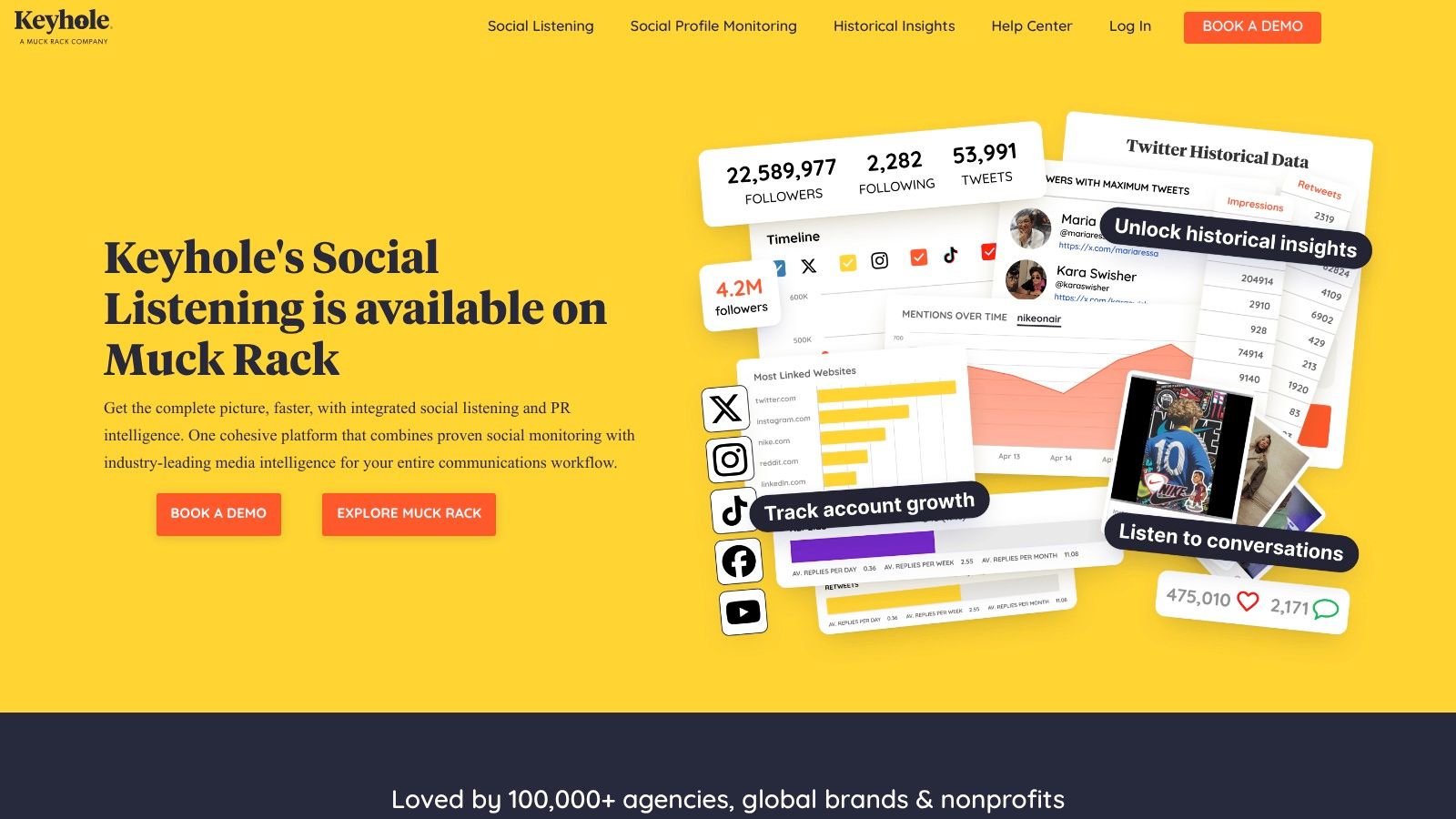
Isso o torna uma das melhores ferramentas de análise do Instagram para relações públicas, monitoramento de marca e inteligência competitiva. Em vez de apenas perguntar “Como foi o desempenho do meu post?”, o Keyhole ajuda a responder perguntas como “Qual é o alcance total da nossa hashtag de marca?” ou “Quais influenciadores estão gerando mais engajamento para a nossa campanha?”. Esse foco no rastreamento externo oferece uma visão de mercado que as análises internas, por si só, não conseguem oferecer.
Principais Recursos e Casos de Uso
- Acompanhamento de Campanhas e Hashtags: monitore o desempenho de qualquer hashtag ou palavra-chave pública em tempo real. Isso é inestimável para acompanhar campanhas de conteúdo gerado por usuários (UGC), engajamento em eventos ou menções à marca.
- Monitoramento de Influenciadores: acompanhe e meça o ROI de colaborações com influenciadores analisando seus posts e o impacto geral que eles têm nas principais métricas de uma campanha.
- Monitoramento Social: vá além do seu próprio perfil para acompanhar menções à marca, monitorar a atividade de concorrentes e identificar tendências e conversas emergentes no setor.
- Relatórios Automatizados: gere relatórios e painéis compartilháveis e com aparência profissional que consolidam os dados da campanha, facilitando comprovar valor a clientes ou stakeholders.
Prós e Contras
| Prós | Contras |
|---|---|
| Excelente para acompanhamento de hashtags/campanhas: seu ponto forte principal. | Preço de Entrada É Elevado: o plano Professional começa em torno de US$ 179/mês para apenas 3 rastreadores. |
| Recursos poderosos de monitoramento social: ótimo para monitoramento de marca. | Personalização mais profunda pode ser limitada: pode parecer menos robusto do que pacotes completos. |
| Fornece dados históricos valiosos: analise tendências ao longo do tempo. | Interface pode ser menos intuitiva: curva de aprendizado mais acentuada para alguns usuários. |
O Keyhole é ideal para profissionais de marketing que executam campanhas de hashtag, profissionais de relações públicas monitorando o sentimento da marca ou agências que precisam reportar o ROI de influenciadores. Sua força no rastreamento de palavras-chave específicas é um recurso poderoso; você pode saber mais sobre como encontrar as melhores hashtags para reforçar essa estratégia. Os preços agora estão publicados, variando de US$ 179/mês para 3 rastreadores até US$ 999/mês para rastreadores ilimitados, e seu conjunto especializado de recursos justifica seu lugar para quem tem foco em análise de campanhas.
Site: Keyhole
11. Analisa.io
O Analisa.io é uma ferramenta poderosa, orientada por inteligência artificial, que se destaca por oferecer análises rápidas e profundas de perfis e hashtags do Instagram. É especialmente útil para auditorias competitivas rápidas, avaliação de influenciadores e relatórios detalhados de campanhas. Diferente de plataformas mais amplas de gestão de redes sociais, o Analisa.io foca especificamente em entregar dados granulares com velocidade impressionante, tornando-se uma das melhores ferramentas de análise do Instagram para usuários que precisam de relatórios detalhados sem a complexidade de um pacote completo.
A força da plataforma está na capacidade de analisar o desempenho em nível granular. Você pode gerar um relatório completo sobre qualquer perfil ou hashtag pública em poucos instantes, obtendo insights imediatos sobre taxas de engajamento, autenticidade de seguidores e estratégia de conteúdo. Isso a torna um recurso valioso para profissionais de marketing que precisam avaliar rapidamente potenciais influenciadores ou analisar a atividade recente de um concorrente sem um longo processo de configuração.
Principais Recursos e Casos de Uso
- Auditorias de Perfil e Hashtag: gere relatórios instantâneos sobre qualquer conta ou hashtag pública do Instagram, analisando o desempenho histórico de posts, métricas de engajamento e horários de publicação.
- Análise de Autenticidade de Seguidores: obtenha um detalhamento do público de um perfil, incluindo autenticidade estimada, dados demográficos (idade, gênero) e localização geográfica. Isso é essencial para verificar a qualidade de um influenciador antes de uma parceria.
- Relatórios de Campanha: agregue e analise todos os posts de uma campanha específica usando uma hashtag exclusiva para medir alcance geral, engajamento e o conteúdo com melhor desempenho.
- Exportação de Dados: exporte facilmente todos os resultados em relatórios PDF profissionais ou arquivos CSV para análises mais profundas ou compartilhamento com clientes e stakeholders.
Prós e Contras
| Prós | Contras |
|---|---|
| Relatórios Rápidos e sob Demanda: excelente para auditorias rápidas. | Conjunto de Recursos Mais Restrito: falta ferramentas de agendamento e gestão de caixa de entrada. |
| Análise Granular de Hashtags: insights profundos sobre o uso de hashtags. | Recursos Avançados Restritos: os dados demográficos de seguidores estão nos planos premium (US$ 69 a US$ 239/mês). |
| Análises Básicas Gratuitas: as consultas essenciais de perfil continuam gratuitas. | Pode Ser Caro para Acesso Completo: os custos podem se acumular para recursos completos. |
O Analisa.io é ideal para agências, marcas e profissionais de marketing que priorizam mergulhos profundos em dados, pesquisa de concorrentes e avaliação de influenciadores. Sua funcionalidade de “consultar qualquer perfil” oferece um nível de inteligência de mercado que muitas outras plataformas não oferecem como recurso principal.
Site: Analisa.io
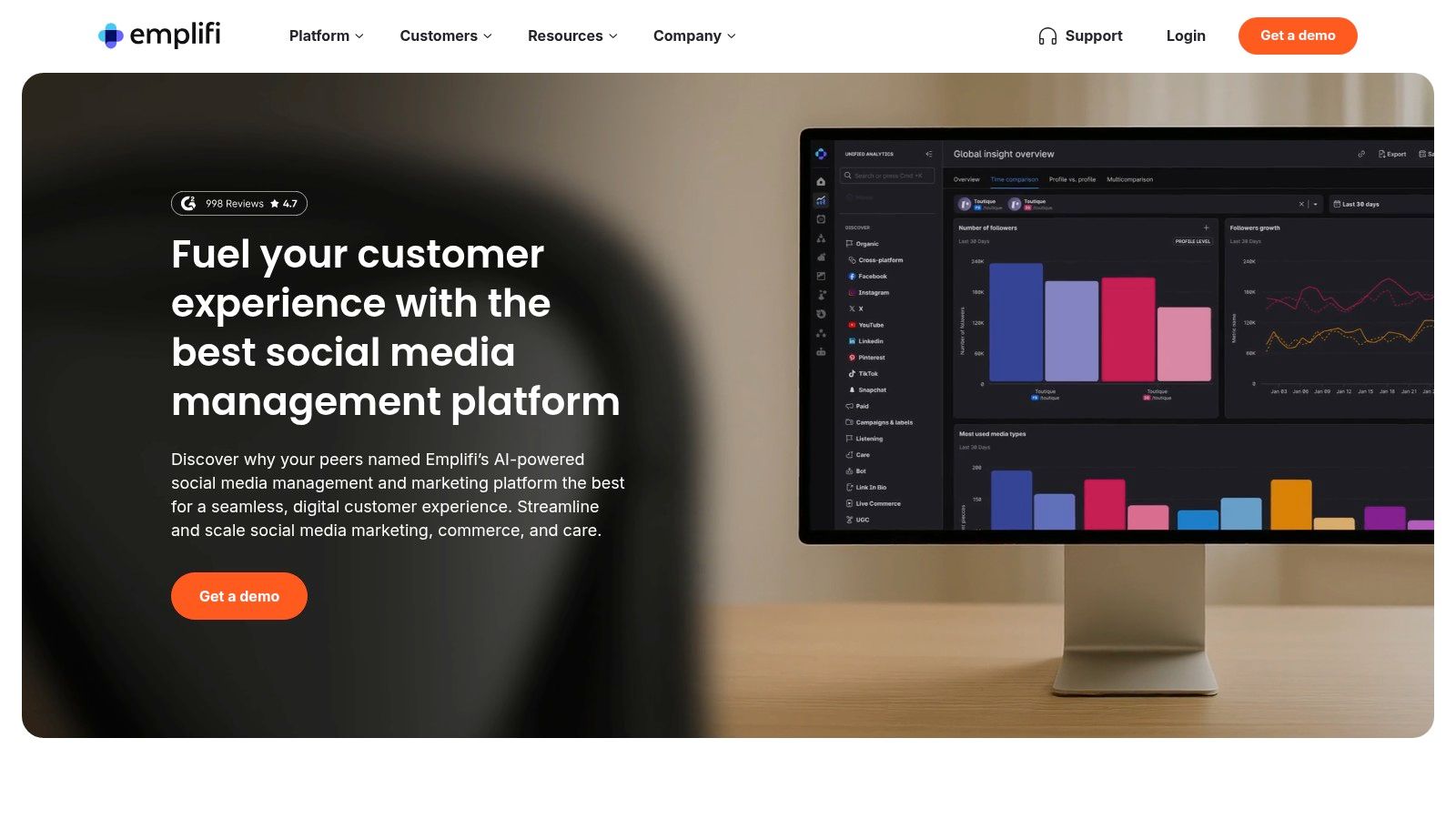
12. Emplifi (antigo Socialbakers)
Para grandes marcas e agências que gerenciam estratégias complexas em redes sociais, o Emplifi (antigo Socialbakers) é uma potência de nível empresarial. Ele vai muito além de métricas básicas para oferecer uma nuvem unificada de marketing social, posicionando-se como uma das melhores ferramentas de análise do Instagram para organizações que precisam de comparação competitiva profunda, governança multimarcas e fluxos de trabalho escaláveis para equipes. Sua força está em transformar grandes volumes de dados em insights estratégicos e específicos do setor.
O Emplifi foi criado para departamentos de marketing que precisam comparar seu desempenho não só com concorrentes diretos, mas com parâmetros de todo o setor. Esse contexto é essencial para entender a verdadeira posição no mercado e identificar oportunidades de crescimento, tornando-o uma escolha ideal para marcas consolidadas que buscam uma vantagem competitiva, e não apenas um simples acompanhamento de seguidores.
Principais Recursos e Casos de Uso
- Comparação Competitiva e Setorial: analise seu desempenho em relação a uma extensa base de dados do setor para ver como seu engajamento, alcance e crescimento realmente se comparam.
- Análises Multiplataforma Profundas: crie painéis altamente personalizáveis que reúnem dados do Instagram, Facebook e outras plataformas para uma visão holística dos seus esforços de marketing social.
- Fluxos de Trabalho e Governança em Equipe: gerencie múltiplas marcas e permissões de usuário com fluxos de aprovação sofisticados, garantindo consistência de marca e segurança em equipes grandes.
- Insights Pagos e Orgânicos: tenha uma visão unificada do seu desempenho pago e orgânico no Instagram para entender o verdadeiro ROI dos seus investimentos em anúncios e da sua estratégia de conteúdo.
Prós e Contras
| Prós | Contras |
|---|---|
| Criado para escala e colaboração empresarial. | Nível de Entrada Agora Público, mas Ainda Caro: o Social Marketing começa em torno de US$ 1.249/mês; níveis mais avançados ainda exigem contato com vendas. |
| Oferece parâmetros robustos de todo o setor. | O custo pode ser inviável para pequenas empresas ou indivíduos. |
| Integrações de nível empresarial e relatórios personalizados. | Pode ser excessivamente complexo para usuários com necessidades simples. |
O Emplifi é a solução para operações de grande escala que já superaram ferramentas mais simples. Seu preço de entrada do Social Marketing agora é público (a partir de cerca de US$ 1.249/mês), embora recursos mais avançados de Care/Commerce e níveis empresariais ainda exijam uma conversa com vendas. Seu conjunto poderoso de recursos oferece a governança e as capacidades analíticas profundas que marcas e agências globais exigem, ajudando as equipes a ir além das métricas de vaidade e tomar decisões baseadas em dados que impactam todo o funil de marketing.
Site: Emplifi
As 12 Melhores Ferramentas de Análise do Instagram – Comparação de Recursos
| Produto | Principais recursos / Capacidades | Diferenciais ✨ |
|---|---|---|
| Hexrate 🏆 | Planos de ação do Pulse, auditorias de criadores/perfis do Discover, acompanhamento de Campaigns, Reports & Media Kit com marca branca | ✨ Única ferramenta que combina análise com descoberta de criadores, acompanhamento de campanhas e um media kit público em uma única plataforma |
| Meta Business Suite (Instagram Insights) | Métricas nativas de perfil, posts e stories + agendamento e caixa de entrada | ✨ Dados diretos do Instagram; sem configuração extra |
| Sprout Social | Análises profundas do IG, acompanhamento de concorrentes, construtor de relatórios | ✨ Relatórios robustos, detalhamento pago/orgânico |
| Hootsuite | Análise + publicação, monitoramento, caixa de entrada unificada | ✨ Monitoramento multicanal e painéis personalizáveis |
| Later | Focado em agendamento, com análises claras do IG e suporte a Reels | ✨ Link na bio, coleta de UGC, agendamento fácil |
| Iconosquare | Relatórios granulares do IG, acompanhamento de concorrentes e campanhas | ✨ Dezenas de métricas, exportação em CSV/PDF, API/Zapier |
| Buffer | Agendamento + análises básicas, caixa de entrada de engajamento, gerenciador de hashtags | ✨ Agendamento de primeiro comentário; interface simples |
| Metricool | Gestão tudo-em-um com análises robustas do IG | ✨ Plano gratuito genuíno, integrações com Looker Studio e Zapier |
| Socialinsider | Comparação de concorrentes, resumos com IA, relatórios com marca própria | ✨ Resumos executivos com IA; comparação multiplataforma |
| Keyhole (parte do Muck Rack) | Acompanhamento de hashtags e campanhas, monitoramento social | ✨ Forte histórico de acompanhamento de hashtags/campanhas |
| Analisa.io | Auditorias de perfil e hashtag, verificação de autenticidade de seguidores | ✨ Auditorias rápidas de hashtags; ferramentas de autenticidade de seguidores |
| Emplifi (Socialbakers) | Relatórios empresariais, governança multimarcas, APIs | ✨ Integrações empresariais, painéis personalizados e governança |
Escolhendo a Ferramenta Certa para os Seus Objetivos no Instagram
Navegar pelo universo de análise do Instagram pode parecer avassalador. Exploramos uma ampla gama de plataformas poderosas, do gratuito e acessível Meta Business Suite a soluções completas de nível empresarial, como Sprout Social e Emplifi. A principal conclusão é clara: as melhores ferramentas de análise do Instagram não são necessariamente as que têm mais recursos, mas as que se alinham perfeitamente aos seus objetivos específicos, orçamento e fluxo de trabalho.
Sua jornada rumo a um marketing no Instagram orientado por dados começa com uma autoavaliação. Você é um criador individual focado em entender o sentimento do público e otimizar o horário das publicações? Uma ferramenta como Later ou Metricool pode ser sua parceira ideal. Você é uma agência gerenciando dezenas de contas de clientes, precisando de relatórios sofisticados e análise de concorrentes? Investir em uma plataforma robusta como Hootsuite ou Iconosquare trará o ROI necessário. O segredo é alinhar a força da ferramenta com as necessidades da sua estratégia.
De Dados Pontuais a Decisões Estratégicas
Simplesmente acompanhar número de seguidores e taxas de curtidas é coisa do passado. O verdadeiro crescimento vem de transformar dados brutos em insights práticos. Isso significa ir além das métricas de vaidade e focar no que realmente importa para os seus objetivos.
Para Estratégia de Conteúdo: use ferramentas como Socialinsider ou Keyhole para identificar seus pilares de conteúdo com melhor desempenho. Quais formatos – Reels, Carrosséis, Stories – geram mais engajamento e compartilhamentos? Reforce o que funciona e experimente novas ideias com base em dados sólidos, não em achismos.
Para Compreensão do Público: mergulhe a fundo nos dados demográficos e no comportamento online do seu público. Você está alcançando o seu mercado-alvo? Quando eles estão mais ativos? Responder a essas perguntas com uma ferramenta como o Discover e o Pulse, do Hexrate, ou o Analisa.io permite ajustar seu conteúdo e seu horário de publicação para máximo impacto, fortalecendo uma comunidade mais conectada.
Para Crescimento e Alcance: entenda o que impulsiona a visibilidade da sua conta. Analise o desempenho das suas hashtags, acompanhe seu alcance ao longo do tempo e identifique quais posts estão atraindo novos seguidores. Isso é essencial para um crescimento orgânico e sustentável. Buscar atalhos para inflar o número de seguidores, no fim das contas, prejudica seu engajamento e sua credibilidade – o alcance autêntico, impulsionado por insights genuínos de análise, é o único caminho para o sucesso a longo prazo.
Como Implementar com Sucesso a Ferramenta Escolhida
Escolher uma das melhores ferramentas de análise do Instagram é apenas o primeiro passo. Para realmente aproveitar todo o seu valor, você precisa integrá-la à sua rotina de trabalho. Reserve um horário específico todas as semanas – talvez de 30 a 60 minutos toda segunda-feira – para revisar seu painel. Não apenas dê uma olhada nos números; pergunte “por quê?”. Por que esse Reel teve um desempenho tão bom? Por que o engajamento caiu na quarta-feira?
Procure padrões e tendências ao longo do tempo, não apenas flutuações diárias. Defina metas realistas e baseadas em dados. Em vez de buscar “mais seguidores”, busque “aumentar a taxa de engajamento nos Reels em 15% no próximo trimestre” aplicando os insights das suas análises. Essa abordagem metódica transforma sua plataforma de análise de uma ferramenta passiva de relatórios em uma consultora estratégica ativa, guiando cada decisão que você toma na plataforma. A ferramenta certa, combinada com uma mentalidade consistente e curiosa, é a fórmula definitiva para conquistar seus objetivos no Instagram.
Pronto para transformar dados complexos em um roteiro claro para o sucesso? O Hexrate foi criado para criadores e marcas que precisam de análises poderosas e intuitivas – além de pesquisa de criadores, acompanhamento de campanhas e relatórios prontos para clientes – sem o preço de nível empresarial. Veja exatamente qual conteúdo ressoa, entenda seu público em um nível mais profundo e faça cada post valer a pena. Comece a tomar decisões mais inteligentes hoje mesmo com o Hexrate.
Smart marketers run Instagram with Hexrate!
See what it can do for you.
Pulse, Discover, Campaigns, and Reports & Media Kit: one platform for your whole Instagram workflow. No follower-count promises, just real data.
Get started
Um framework passo a passo para marcas avaliarem o desempenho no Instagram em comparação com concorrentes reais, com as métricas, a frequência e os números…

Um sistema prático para coordenar vários criadores numa única campanha no Instagram sem perder o controlo dos entregáveis, prazos ou orçamento.

O que incluir em um briefing de campanha de influenciadores no Instagram, além de um modelo gratuito para copiar e colar que as marcas podem…

Os seguidores falsos e bots representam agora mais de metade dos casos de fraude reportados, e os dados do setor em 2026 mostram porque as…

O que as marcas verificam no perfil de um criador antes de enviarem qualquer mensagem, e como passar nessa verificacao antes de seres contactado.
 Português
  English
  Español
  Deutsch
  Română
  Français
  Italiano
  Polski
  Українська
  Русский
  Lietuviškai
  Türkçe